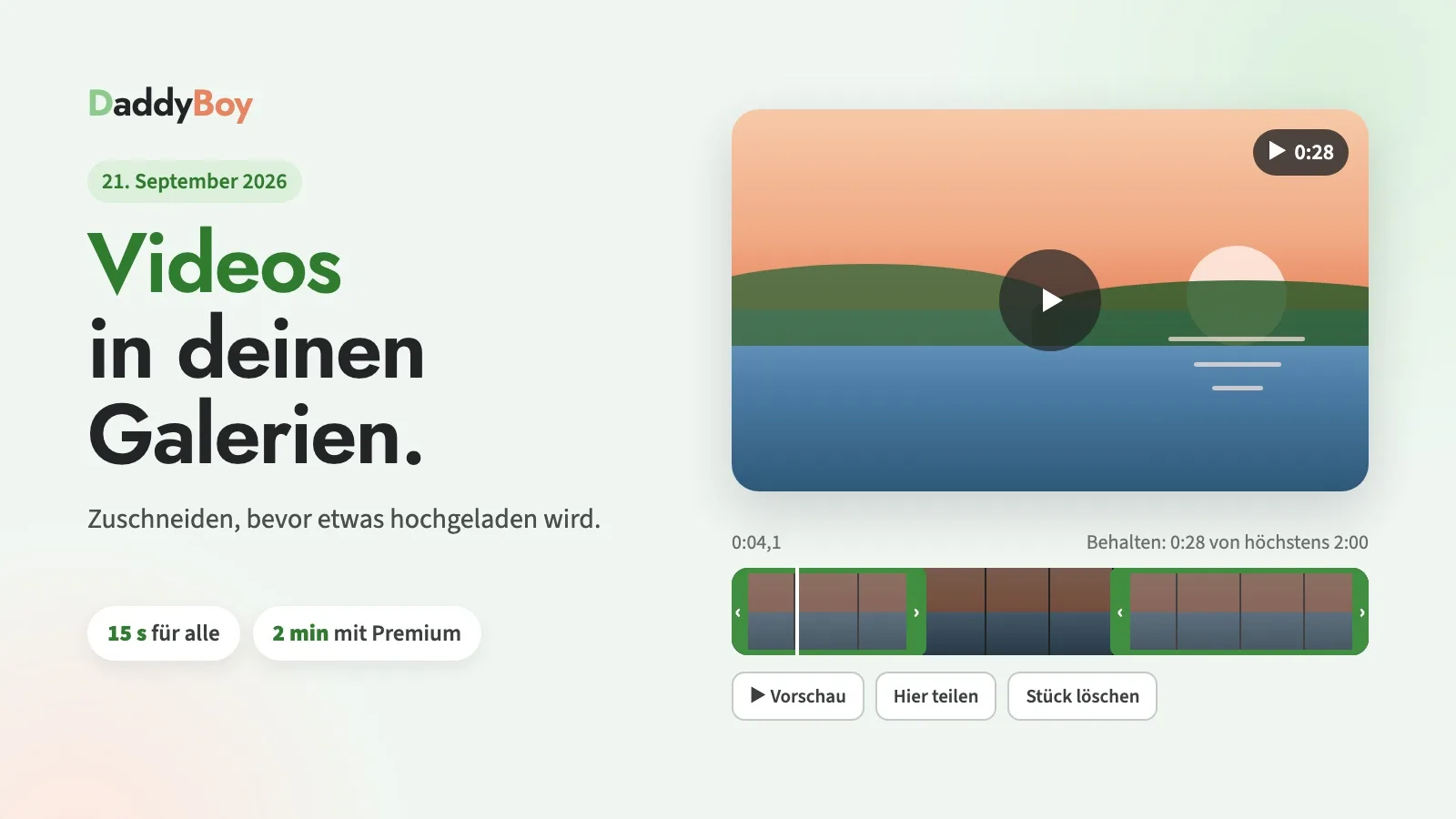
It all started with a photo gallery: ten photos in a row, which were actually intended to be a short video. This was a bit of a faff for the member, and for us it meant ten separate checks instead of just one. As of today, the process is more straightforward.
New: Videos in your own galleries
Open one of your galleries. Next to ‘New Image’, you’ll now see the ‘New Video’ tab. There, you can select a file or drag it onto the page – whether it’s an MP4 from your mobile, a MOV from your iPhone or a WebM. A video can be up to 15 seconds long, or two minutes with a Premium subscription.
As galleries no longer contain only images, the first tab there is now called ‘Media’. You can recognise videos by the ▶ symbol and the duration shown on the tile; clicking on it plays the video.
Trim before uploading
The video will initially play only in your browser. Below it is a timeline with small still images. Use the handles at the edges to set the start and end points. If your video is longer than permitted, the frame at the start will already be set to the correct length, and you can drag it to where the action really gets going.
You can also extract a section from the middle: tap at the start of the section, select ‘Split here’, tap at the end, select ‘Split here’ again, then highlight the middle section and delete it. Only what remains counts towards the limit. With ‘Use this clip as cover image’, you can choose which image appears on the thumbnail, and with ‘Preview’, you can see the result in full before you send it off. You can mute the sound before uploading.
The file is then uploaded in small chunks. If the connection is lost during the process, it will resume from where it left off. We’ll edit and convert the video, and only what you’ve kept will be saved. We’ll remove the location, device and recording time that mobile phones often include in their videos.
As with images: classification and review
You rate each video yourself, just like a photo, and the clearest part of the video is what counts. The same rules apply as for photos, including who is allowed to view a video. Explicit videos in galleries, like explicit photos, are available with a Premium subscription.
Our team reviews every video before anyone else sees it. This may take a moment; until then, the tile will display ‘under review’. Only you yourself may appear in the video. Videos featuring other people will be added later, subject to the explicit consent of every person who appears in them.
Without Premium, you can have three videos in a gallery and ten in your account; with Premium, five and twenty-five respectively. Recording directly in the browser and sharing videos in chat will be added in a later update.
Improved: Clicking on an image opens it in full size
In your profile album and in your galleries, you can now open an image by clicking on it, just as you do with other people’s images. The small magnifying glass at the bottom of the tile has been removed. You can sort as before by dragging or using the arrows.
If you notice anything unusual or a video isn’t loading when it should, the ‘Report a problem’ button is at the very bottom of every page.