The town pages have been up for a few days now. Until now, they were mainly intended for visitors: a short description of the town, a map, and the number of members. From today, they’ll be useful for you too.
New: Members on the town page
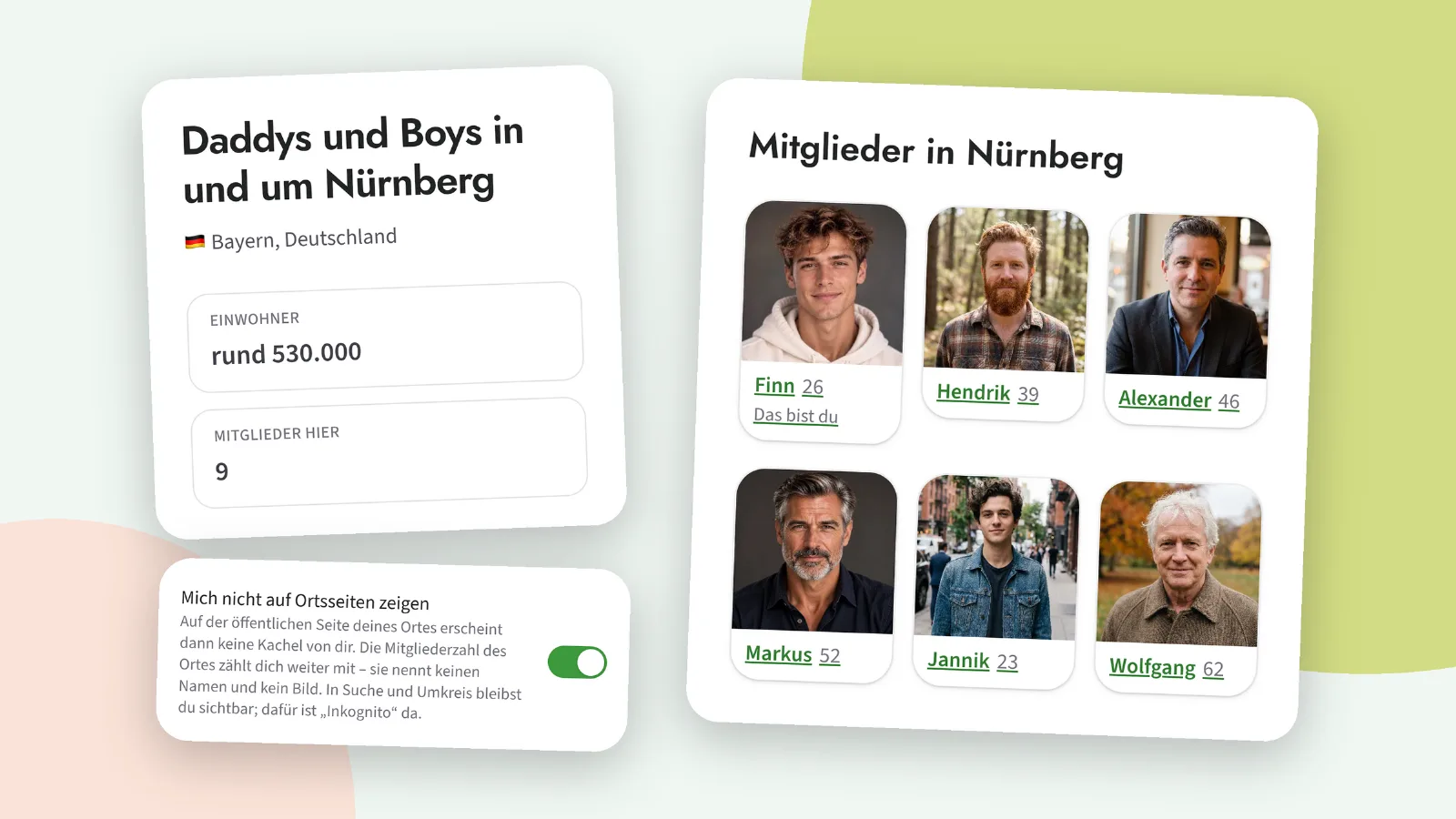
If you’re logged in, you’ll see the members who live there on a town’s page – as tiles, just like the ones you’re used to seeing on the dashboard. Up to twelve of them, with the most recent additions appearing first. Guests won’t see any of this; only logged-in members can view profiles on our site, and that won’t change.
Anyone who has blocked you or whom you have blocked won’t appear. Nor will anyone who has their ‘Invisible’ setting switched on. These are the same rules as in the search function; we haven’t reinvented them, but have simply adopted the existing ones.
New: ‘Don’t show me on local pages’
Perhaps you live in a small town and don’t want to be listed there. Under Account › Settings, amongst the other privacy options, you’ll find a new one: ‘Don’t show me on local pages’. If this is switched on, no tile showing you will appear on your town’s page.
To be honest, there are two things to note here: the town’s member count will still include you. It won’t show your name or picture, and without you, a single member could make an entire town page disappear. And you’ll remain visible in Search, Nearby and Suggestions – if you don’t want that, ‘Incognito’ is the right setting to use, not this one.
Improved: the overview of all locations
Under ‘Places’, there were recently over forty places in four countries, and finding a specific one involved a lot of scrolling. There’s now a search box for town names and regions – diacritics don’t matter; ‘koln’ will also find ‘Köln’ – and you can switch between ‘Most Members’ and ‘A–Z’. Countries with no results disappear from the search.
The tiles themselves have been simplified: the location name and region are listed one below the other, with the number of members shown as a small badge next to them. And the bullet points that used to appear before tiles and lists on some public pages have been removed.
If you notice anything: the ‘Report an error’ button is at the very bottom of every page, and under Account › My enquiries you can see what’s become of it.