There’s hardly anything more frustrating in online dating than silence. You send a message, wait, and get no reply. Often, it’s not even intentional: the message has simply got lost in the mix. That’s exactly where this week’s new features come in.
New: Reminder for unread chats
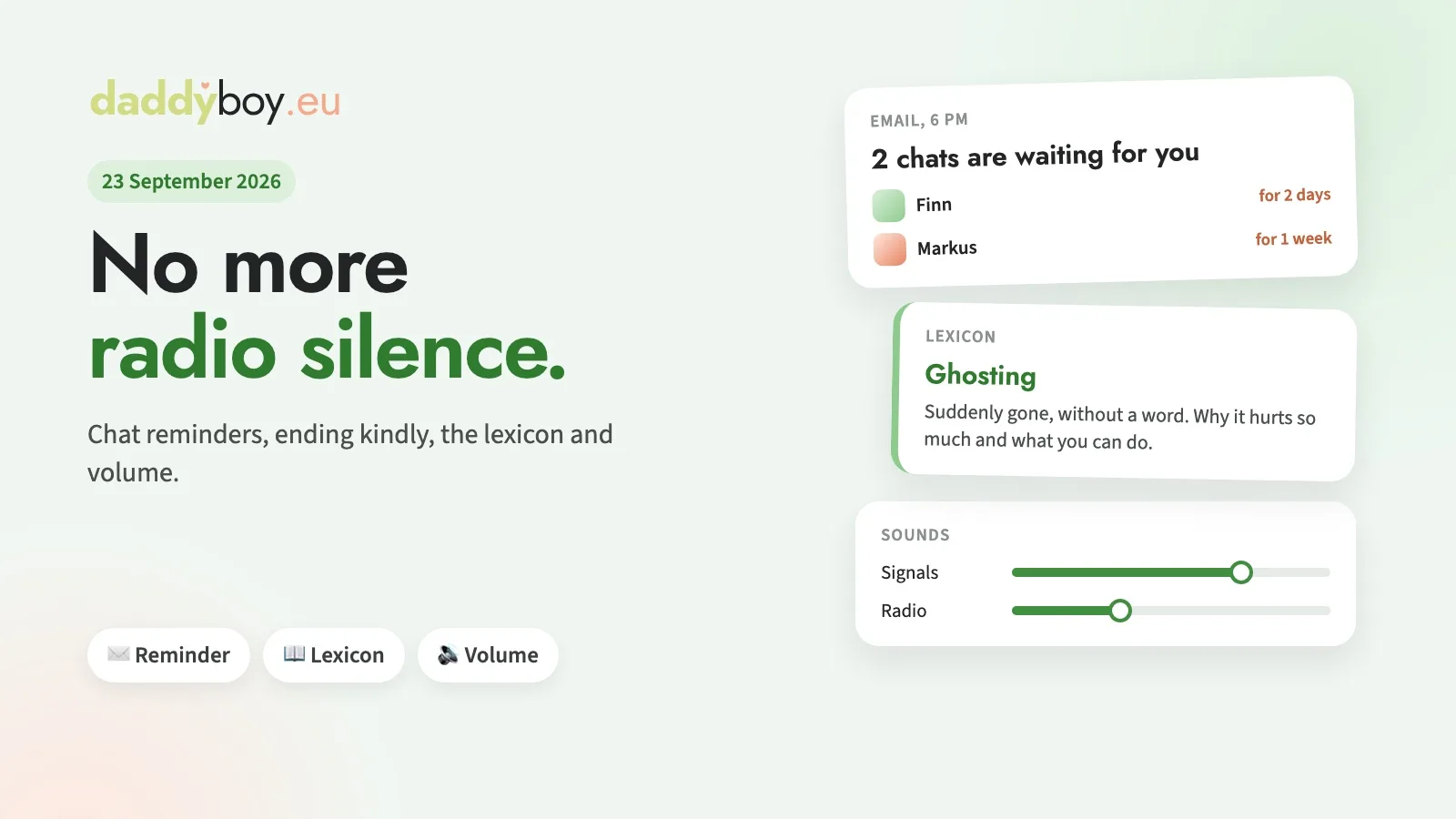
If a message sent to you has been unread for two days, you’ll receive a short email in the evening. It lists all the chats waiting for you at a glance. We’ll send another reminder after a week; after that, we’ll leave that chat alone. We only send one reminder for chat requests. The text of a message is never included in the email.
If you don’t need reminders, you can switch them off under Account › Notifications, or directly via the link in the email.
New: Ending a chat politely
Sometimes it just doesn’t work out, and that’s fine. Instead of leaving the other person in the dark, you can now end a chat politely, either from the reminder email or via the ⋯ menu in the chat. The other person will then receive a friendly notification in the bell icon rather than radio silence. That’s less painful than silence, and both of you know where you stand.
New: The Dating Glossary
What does ‘no cap’ mean, what’s an ‘otter’, and why does ghosting hurt so much? In our new glossary, we explain terms from the worlds of dating, community, health and youth slang, so that dads can understand their sons – and vice versa. Terms that appear in an entry are linked straight away, so you can read from one to the next. There’s also an entry with support services if something’s weighing on your mind.
The glossary is public, so you can also send a term to friends.
Improved: Separate volume settings for notifications and the radio
Under Account › Notifications › Sounds, you can now set the volume separately for alerts for new chats, messages and calls, and for the radio. This way, the radio plays quietly in the background, and you can still hear when someone messages you. With ‘Listen to everything together’, NDWRadio.de plays at your radio volume, with notifications coming in between. On iPhone and iPad, you can still control the radio volume using the volume buttons.
New: A thank you for reported bugs
If you report a bug to us and we fix it, we sometimes say thank you by giving you a few days’ Premium access. These days are added to your current subscription period; it doesn’t create a new subscription, and nothing renews automatically. You’ll see our thank you in the message we send to confirm your report, and under Account › My enquiries.
What helps us most is a report with a screenshot and a brief description of what you were trying to do. You’ll find the ‘Report a bug’ button in the menu next to your name and at the very bottom of every page. Thanks to everyone who’s already got in touch – you’re making DaddyBoy a little bit better every day.