Three little things that make everyday life easier. The first stems from a question we’ve been asked quite often since the relaunch: “What address did I actually register with?”
New: Log in with an email address or a username
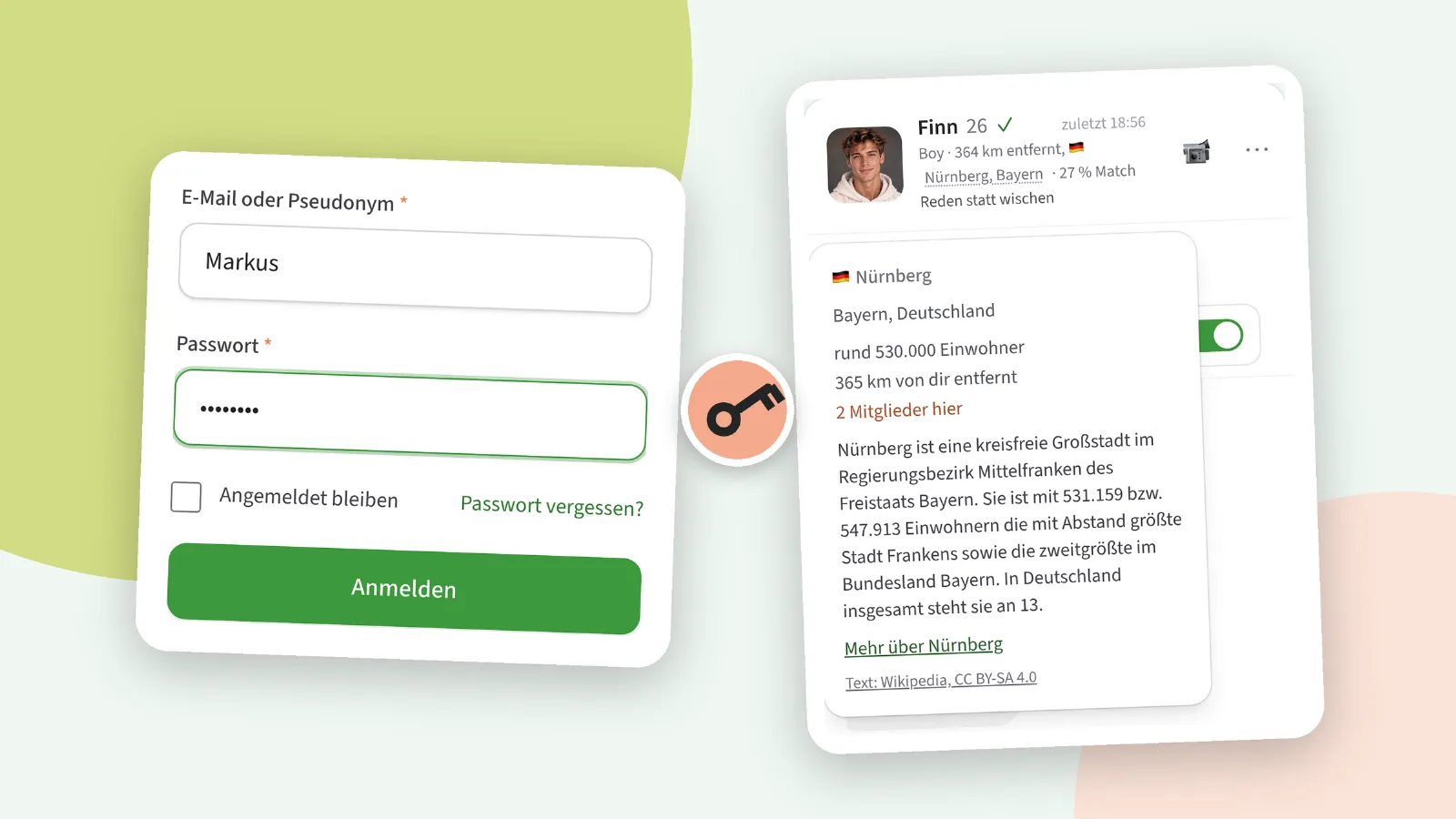
The field on the login page is now called ‘Email or username’. Just enter whatever comes to mind – your email address or the name everyone here knows you by. It doesn’t matter whether you use upper or lower case. Your password remains the same, and anyone logging in with Passkey won’t notice any of this.
Especially those who were already on the old platform usually know their username better than the email address they used back then. That’s exactly what it’s designed for.
What we’ve done to ensure your security
Your username is public, but your email address isn’t. This makes a difference: anyone trying to access someone else’s account no longer needs to know an email address. That’s why three rules are an integral part of the system.
A new password can only be obtained via your email address. Clicking ‘Forgotten your password?’ using a username will do nothing. Otherwise, anyone could have emails sent to any member’s account.
The response to a failed attempt is always the same. The site doesn’t reveal whether the username doesn’t exist or whether it was just the password that was wrong – and therefore never reveals which email address belongs to which username.
Anyone trying to hack into an account will be blocked – even if they keep changing their IP address. This restriction doesn’t affect you: a browser you’ve used to log in before will always get through. So nobody can lock you out by bombarding your account with incorrect passwords.
As before, if someone logs in from an unknown device, you’ll receive an email. And if you want to go completely password-free, set up a passkey in the Security Centre – that remains the best protection.
New: location in chat
At the top of a chat, you can see where the person you’re chatting to is from. Previously, this was just text. Now the location is underlined, and tapping on it opens the same little map as on the profile: region, population, distance from you, a short description of the place and, if available, a link to the town’s website. This is handy if someone writes from “Dettingen an der Erms” and you’ve no idea where that is.
Tapping on anything else in the header – the picture, name or motto – takes you to their profile as usual.
New: Images from the clipboard
On a computer, you can now paste an image directly into the message field – using Ctrl+V or Cmd+V, for example a section of an image you’ve just copied. Nothing is sent just yet: the image first appears in the preview; you rate it just like any other, and only when you tap ‘Send image’ is it sent. So nothing from your clipboard will end up in the chat by accident. Everything else works the same as with the camera button: the person you’re chatting with must have image reception enabled, and every image is checked before it’s sent.
Improved: the chat header on your mobile
The line showing role, distance, location and match was previously cut off on mobiles with ‘…’, and it was usually the match value that was missing. It now wraps around and displays everything. And the small info cards – for location, star sign and profile notes – adjust their height if there’s little space below them, rather than being cut off at the bottom.
If you notice anything: the ‘Report an error’ button is at the very bottom of every page, and under Account › My requests you can see what’s become of it.